
Active Matter System Requirements
Windows and Linux tables, SSD, BattlEye, graphics APIs, and Steam Deck notes.
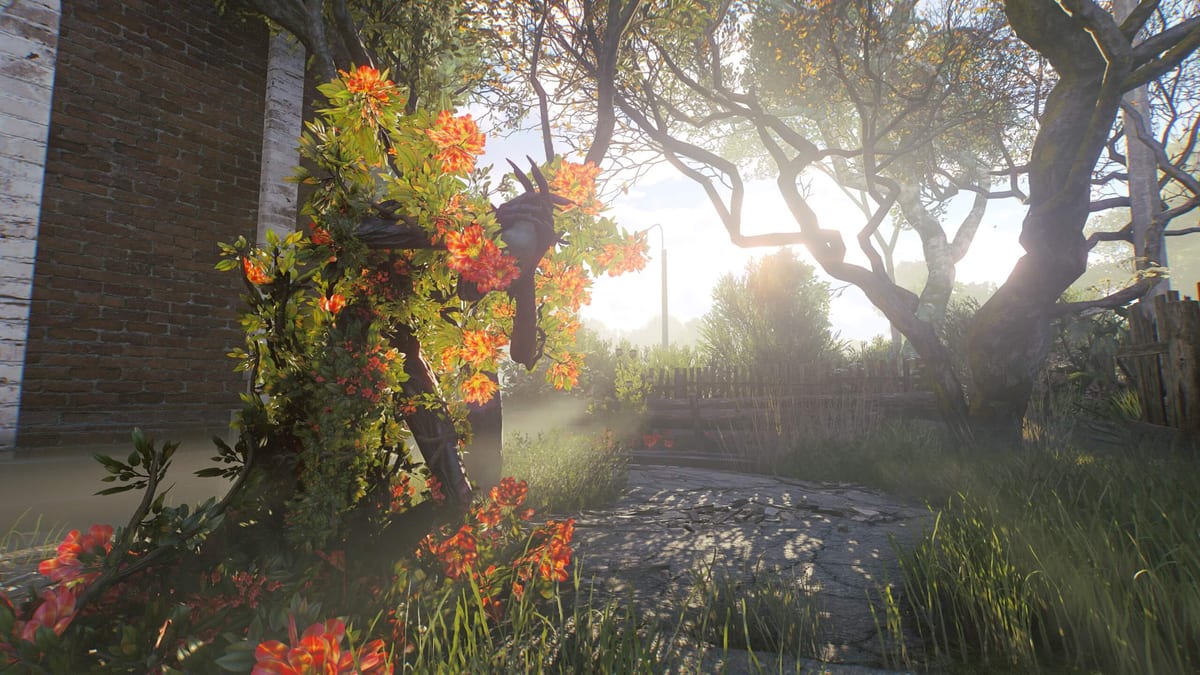
Active Matter is a 64-bit online raid shooter. The install is about 45 GB on an SSD. BattlEye kernel anti-cheat is required. These numbers come from the Steam page and the official FAQ. If you are still choosing a pack, read editions compared after this page. If you already own the game, set APIs here, then go to Getting Started and controls.
PC is playable now through the Gaijin launcher. Steam, Xbox Series X|S, and PlayStation 5 storefronts open 15 September 2026. Console specs are not listed here; this page is the PC / SteamOS brief. Storefront and transfer rules live on Steam and Console.
Windows
| Spec | Minimum | Recommended |
|---|---|---|
| OS | Windows 10 / 11 (64-bit) | Windows 10 / 11 (64-bit) |
| CPU | Intel Core i5-6600 / AMD Ryzen 3 1300X | Intel Core i5-8700 / AMD Ryzen 5 3600 |
| RAM | 8 GB | 16 GB |
| GPU | GeForce GTX 1050 Ti / Radeon RX 470 / Intel Arc A580 | GeForce RTX 2060 / Radeon RX 5700 XT / Intel Arc A770 |
| Network | Broadband | Broadband |
| Storage | 45 GB SSD | 45 GB SSD |
Minimum is the floor for 1080p low, not a comfort target. Downtown’s avenues, Airport hangars, and Dalniy monster clusters all push draw distance harder than the early Dalniy-only maps. If you sit on 8 GB RAM, close browsers before you queue; the raid client plus BattlEye plus Discord will eat the rest.
Recommended is the spec Matter Team lists for a playable 1080p raid with the post-Gigastructure upscalers available. An RTX 2060-class card is the first GPU that comfortably turns on DLSS or FSR without looking like a smeared collimator. Arc A770 is the Intel recommended card; Arc A580 is the Intel minimum.
Linux and SteamOS
| Spec | Minimum | Recommended |
|---|---|---|
| OS | Most modern 64-bit Linux distributions | Ubuntu 26.04 64-bit |
| CPU | Intel Core i5-6600 / AMD Ryzen 3 1300X | Intel Core i5-8700 / AMD Ryzen 5 3600 |
| RAM | 8 GB | 16 GB |
| GPU | GeForce GTX 1050 Ti / Radeon RX 470 / Intel Arc A580 | GeForce RTX 2060 / Radeon RX 5700 XT / Intel Arc A770 |
| Network | Broadband | Broadband |
| Storage | 45 GB SSD | 45 GB SSD |
Steam lists SteamOS + Linux as a platform. There is no separate Gaijin Linux launcher. Matter Team enabled BattlEye for Linux so Steam Deck sessions can authenticate. If BattlEye starts, you are not banned for being on Linux. If BattlEye fails, the server kicks you — Proton tricks that skip anti-cheat will not work.
Steam Deck ran in the demos. Handheld PCs in the ROG Ally class were not officially tested. An ARM build for N1X-class chips is in development; do not treat current x86 tables as ARM guarantees. Linux performance is playable when the anti-cheat stack is clean, not a promise of Windows-identical frame times in Downtown night raids.
SSD, BattlEye, and APIs
SSD required. Streaming Downtown interiors, Airport hangars, and Dalniy industrial tiles off a spinning disk stutters extracts. 45 GB is the listed footprint; leave extra free for shader caches after you switch APIs.
BattlEye is kernel-level. Steam notes that you must remove it manually after uninstall. That is normal for BattlEye titles, not a unique Active Matter tax. Cheaters get hardware-level enforcement because raids are PvPvE and a wallhack ruins more than your own lobby.
Graphics APIs (from Gigastructure, still in the current client):
- DirectX 11 — historical default, still the safe fallback.
- DirectX 12 (beta) — many improvements over DX11. Default on Intel Iris Xe so XeSS can run (250 Shades of Liberty).
- Vulkan (beta) — listed in the Graphics API dropdown (Auto / DX11 / DX12 / Vulkan).
Upscalers and frame generation:
- XeSS — Intel, needs DX12.
- FSR — AMD, needs DX12; frame generation available with FSR.
- DLSS — Nvidia; frame generation available with DLSS.
Start on Auto or DX11. If Downtown hitching persists on a recommended GPU, try DX12. If DX12 misbehaves, roll back to DX11 before you file a Gaijin support ticket. Vulkan is the experiment, not the daily driver, until Matter Team takes the beta tag off.
Controllers, consoles, and raid performance
Controllers are playable today and still being improved. That applies to PC pads and to the Xbox / PlayStation builds when those storefronts open 15 September 2026. Keyboard and mouse support for consoles is planned. Do not expect a 1:1 KBM raid on a DualSense the week those stores go live.
Raid performance is more than GPU. Patch 0.4.0.62 stopped red-dot sights from slowing ADS — that was a game-rules change, not a driver issue. AMD Radeon RX 9070 and 9070 XT owners should install Adrenalin 26.9.1, which the Agency posted as the crash fix for those cards. Details: Patch 0.4.0.62. 250 Shades of Liberty increased global illumination range, adapted muzzle-flash brightness, and measured optic exposure inside the sight so NVGs stop blooming. If your frame time tanked after 27 August 2026, read the 250 Shades recap and drop GI / upscaler settings before you buy a new card.
For maps that stress the spec, look at Downtown, Dalniy Island, and Nexus Battles. For whether the game is worth the hardware, read the review. Parent index: Tools Hub.
Frequently Asked Questions
Quick answers to the most common questions.
Is an SSD actually required for Active Matter?
Yes. Steam lists SSD required on both Windows and Linux, with 45 GB free. HDD installs are outside the supported spec and will hitch in Downtown and Airport interiors.
Does BattlEye work on Linux and Steam Deck?
Matter Team enabled BattlEye for Linux so Steam Deck can authenticate. If the anti-cheat starts, Linux play is allowed. If it fails, you will not reach a raid server. Kernel BattlEye also needs manual removal after uninstall.
Should I use DX11, DX12, or Vulkan?
DX11 is the historical default and the safe fallback. DX12 beta is the default on Intel Iris Xe (needed for XeSS) and often runs better on recommended GPUs. Vulkan is still a beta option. Switch back to DX11 if a beta API crashes mid-raid.
Can I play Active Matter with a controller?
Yes. The game is playable with a controller, and Matter Team is still improving that feel. Keyboard and mouse support for consoles is planned. See controls for bindings.
What GPU do I need for Downtown after 250 Shades of Liberty?
Minimum is still GTX 1050 Ti / RX 470 / Arc A580. For 1080p with DLSS, FSR, or XeSS, aim at the recommended RTX 2060 / RX 5700 XT / Arc A770. The Liberty lighting pass made weak cards more obvious, not a new spec table.